






Tutorial
Precision touchpad vs standard touchpad: what Microsoft's certification requires
Two laptops, two completely different touchpads — and only one carries Microsoft's seal. Here is wha...
 ToolV
ToolV
Browse step-by-step guides and tutorials for all our tools
Two laptops, two completely different touchpads — and only one carries Microsoft's seal. Here is wha...

Type 2 + 3 × 4 and a calculator answers 14, not 20. Here is the priority ladder it follows every tim...

Tapping two fingers to scroll feels instant, but four hardware and software layers collaborate befor...

Both calculators add 2 + 2 the same way. The real question is what happens when your math grows a sq...

A cursor jumping mid-sentence means palm rejection failed. The algorithm is not one check — it is a...

Type 0.1 + 0.2 and expect 0.3 — but the calculator shows 0.30000000000000004. Here is the specific b...

Most modern touchpads have no physical buttons at all — the entire surface clicks. How the hardware...

Press 2 + 3 × 4 on different calculators and some show 14 while others show 20. The difference is no...

A laptop trackpad and a phone touchscreen look similar, but the browser events they generate are com...

The ( and ) keys look optional — until your answer is wrong and parentheses were the fix. Here is ex...

Not every laptop touchpad is a Precision Touchpad. Here is a step-by-step guide to confirm yours — S...

Occasional strange decimals from an online calculator are not random glitches — they follow a precis...

Three-finger swipes and four-finger taps are off or wrong by default. This guide shows exactly where...

Most people click every button with a mouse. Switch to the keyboard and the same calculation takes a...

Cursor speed and touchpad sensitivity are two distinct settings that behave very differently. Here i...

Every time you press equals, the result stays live on the display. Add an operator and the calculato...

Windows can silence the touchpad the moment an external mouse plugs in — and re-enable it the instan...

A calculator is only as accurate as what you type. A quick mental estimate before you press equals i...

Two laptops, same price tag, but one touchpad glides smoothly while the other skips and jitters. The...

Physical calculators store one number in a silent memory slot using M+, MR, and MC. This tool takes...

Taps near a touchpad's corner often land several millimeters from where you intended. Edge accuracy...

Most calculator errors are not the device's fault. They are invisible input habits — a missed negati...

A Windows update finishes, the laptop restarts — and the touchpad is dead. This specific failure fol...

Press % on its own and a number shrinks to its decimal. Press it after an operator and the calculato...
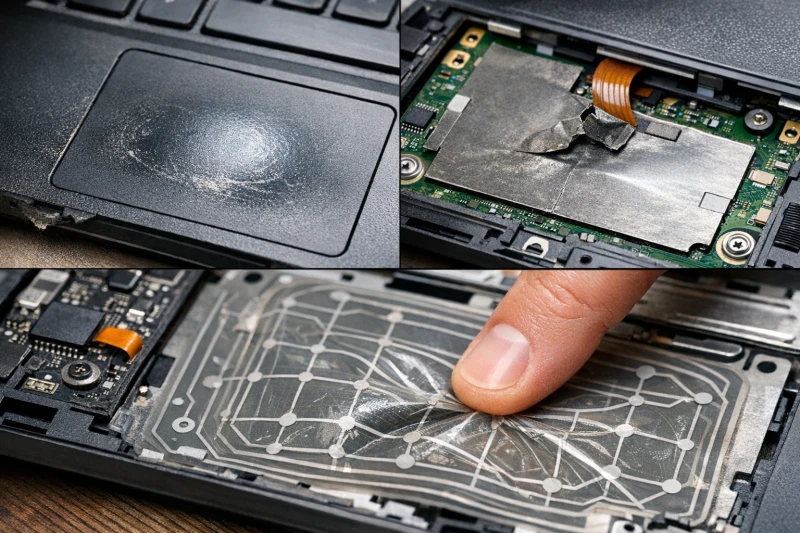
After two or three years of daily use, a touchpad's problems shift from software to physics. Surface...

A calculator is only as reliable as the expression you feed it. Knowing when to reach for one — and...
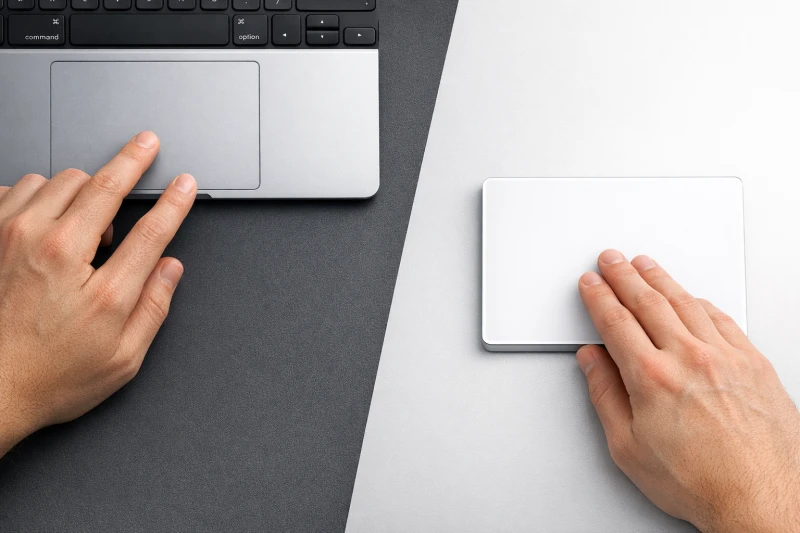
Same Force Touch technology, completely different form factors — the gap between a built-in laptop t...

Every floating-point operation introduces a rounding error too tiny to notice. Chain enough of them...
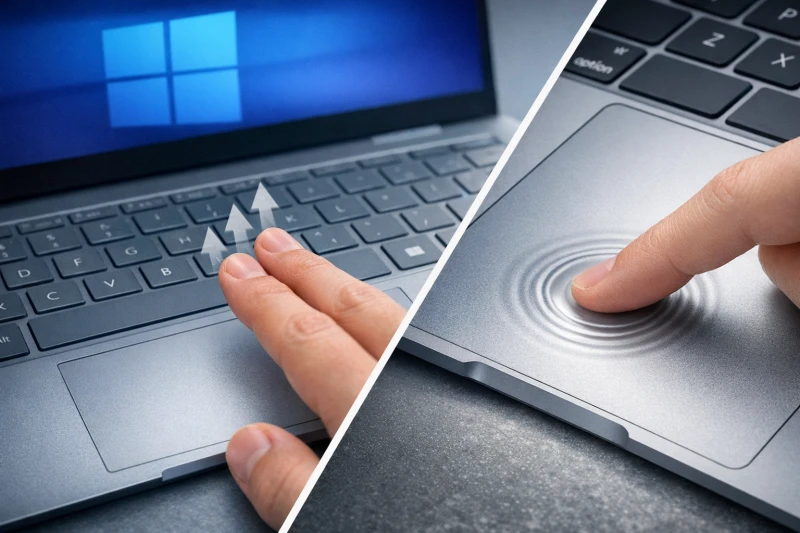
Microsoft and Apple took two distinct engineering paths for premium trackpad input — one standardize...

Each form factor has a genuine use case — the right one depends on where you are, what you're calcul...

The answer is not simply "use a mouse" — task type, desk space, and how long you sit all shift the e...

A calculator answers one expression instantly; a spreadsheet builds a formula once and recalculates...

Left-click fires fine but right-click does nothing — the issue almost always lives in one of three p...

An Error message appears when your calculator hits a mathematical dead end — such as dividing by zer...

A brief jerk or wobble as your finger leaves the surface is a capacitive sensing artifact — the touc...

Online calculators are extremely reliable for everyday math, but floating-point arithmetic can occas...

Multi-finger gestures silently vanishing after a Windows update almost always means the update swapp...

Yes — button order determines what expression you build, and the expression determines your answer....

Cold temperatures reduce skin moisture and lower the body's surface capacitance — the touchpad's sen...

Online calculators use 64-bit double-precision arithmetic — roughly 15 to 17 significant digits. Tha...

Yes — oils, skin residue, and moisture on a touchpad surface alter the capacitive field, causing the...
ToolV is free and always will be. If it saved you time today, a little coffee keeps new tools brewing 💛
TF9MwFPhxxhwqEnxH12o2Zr5Di5Rasqm6y
Only send USDT via the TRC20 network to this address.
0x962E89DdC73E1DCf98900319A988D108d53fD3b4
Only send USDT via the BEP20 network to this address.